
It's very easy to create a test lead on Facebook!
Login to Facebook Business Manager:
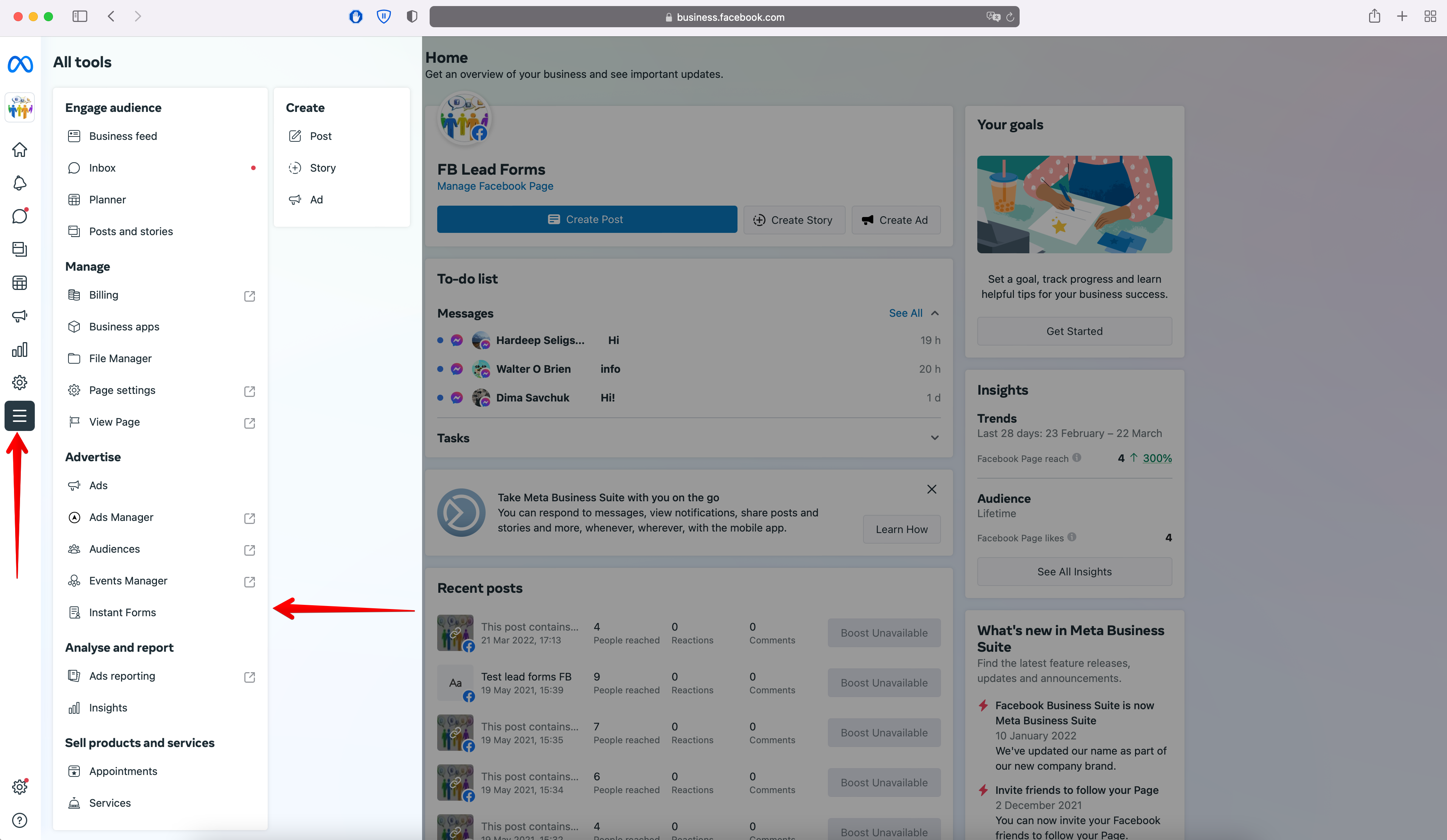
Expand the additional sections of the menu by clicking All Tools on the left and go to Instant Forms.
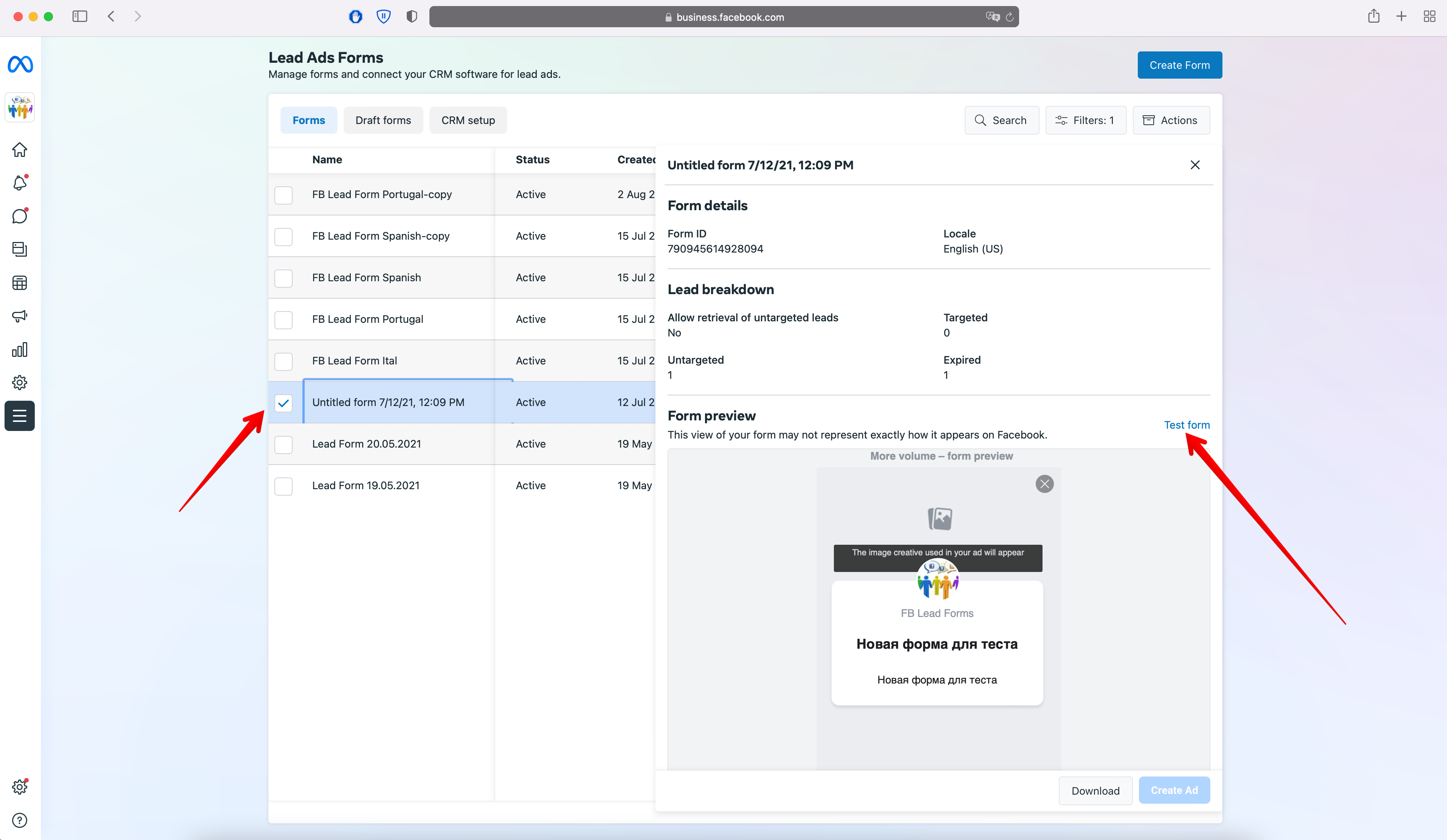
Select the required form, then in the Preview block, click Test form.
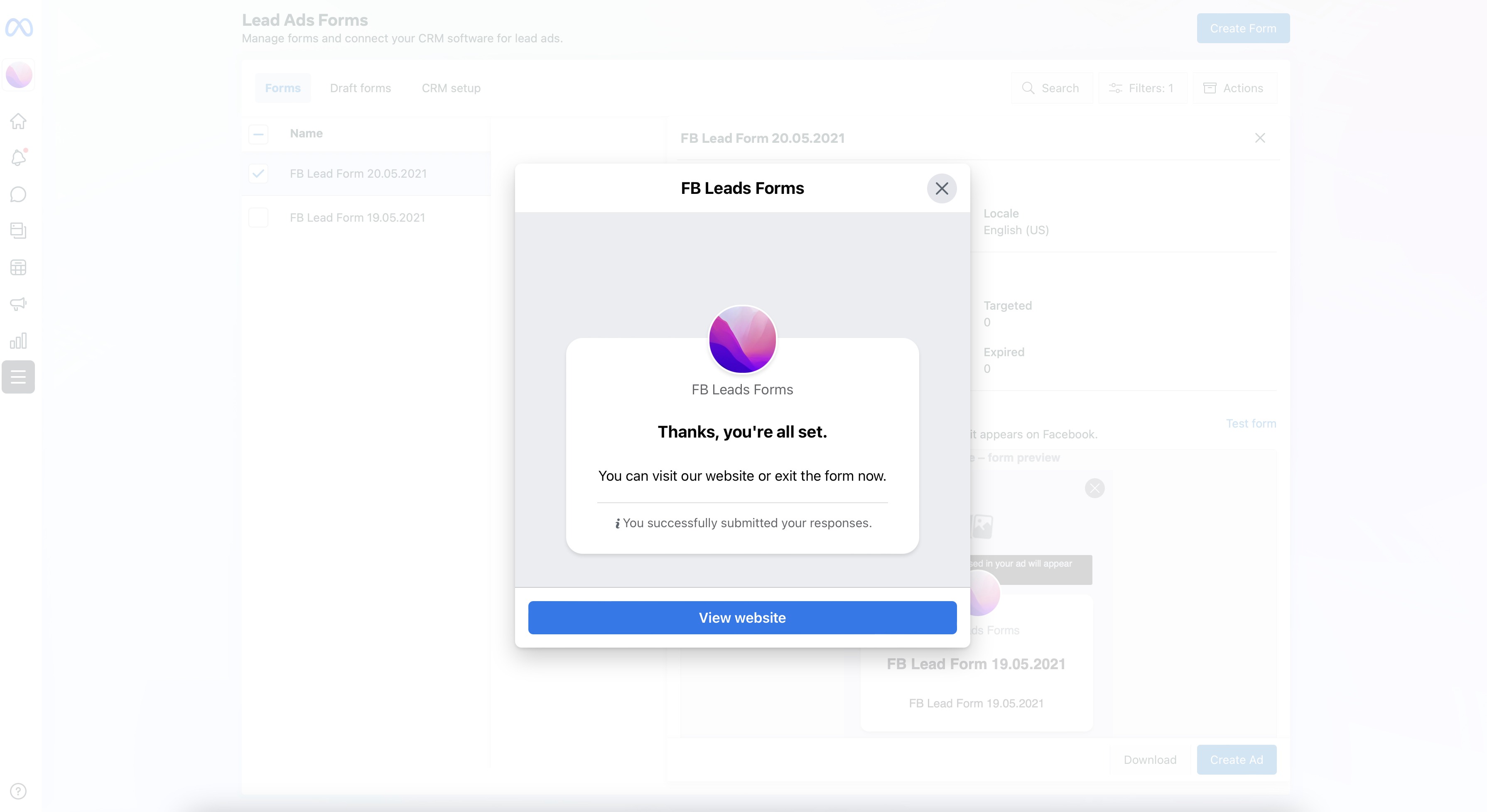
If this window opens, go to the Developer Tool for testing https://developers.facebook.com/tools/lead-ads-testing
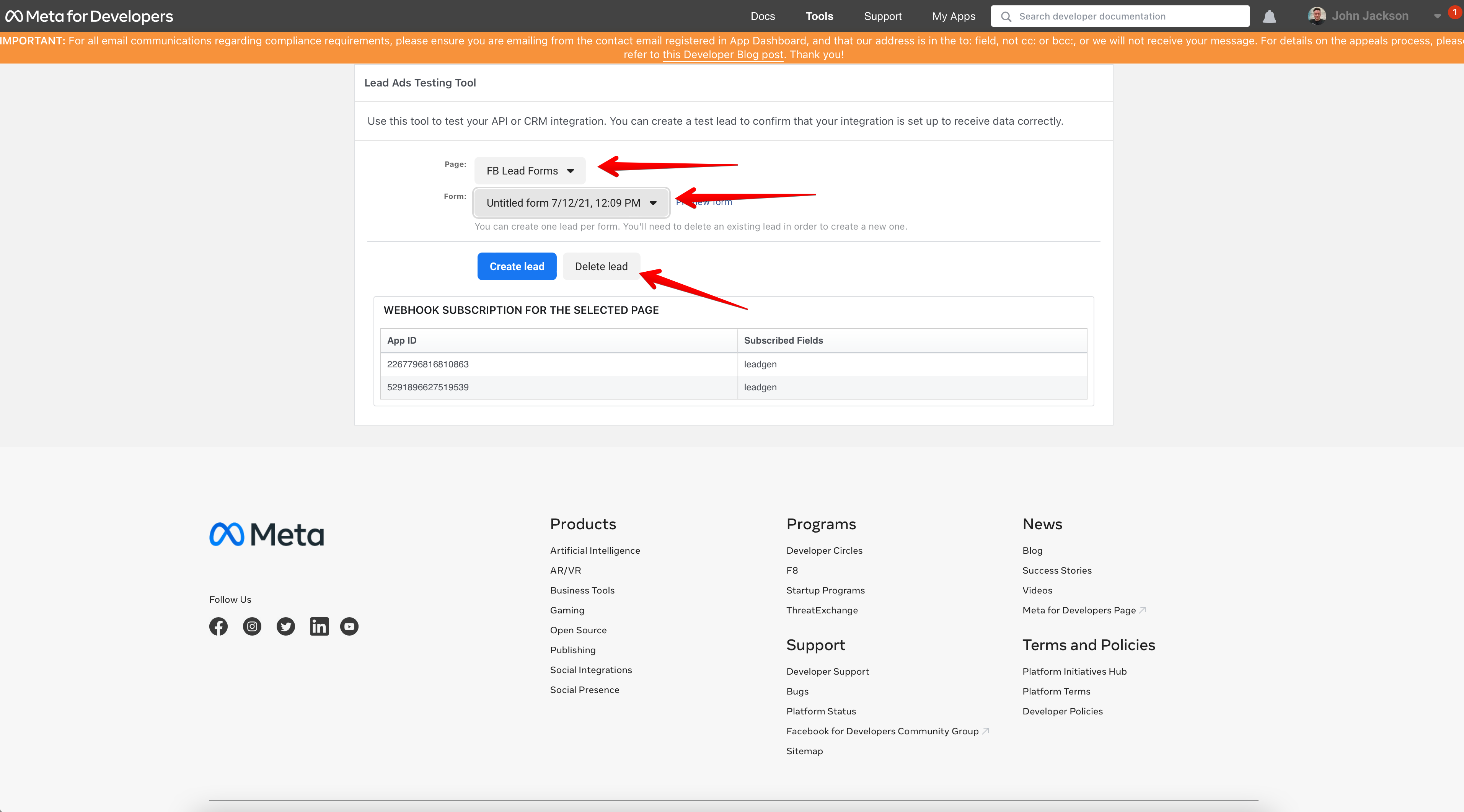
Select your Page and Form from the list and click Delete Lead as there can only be one normal test lead.
After that, return to your Business Manager, where there will be such a window.
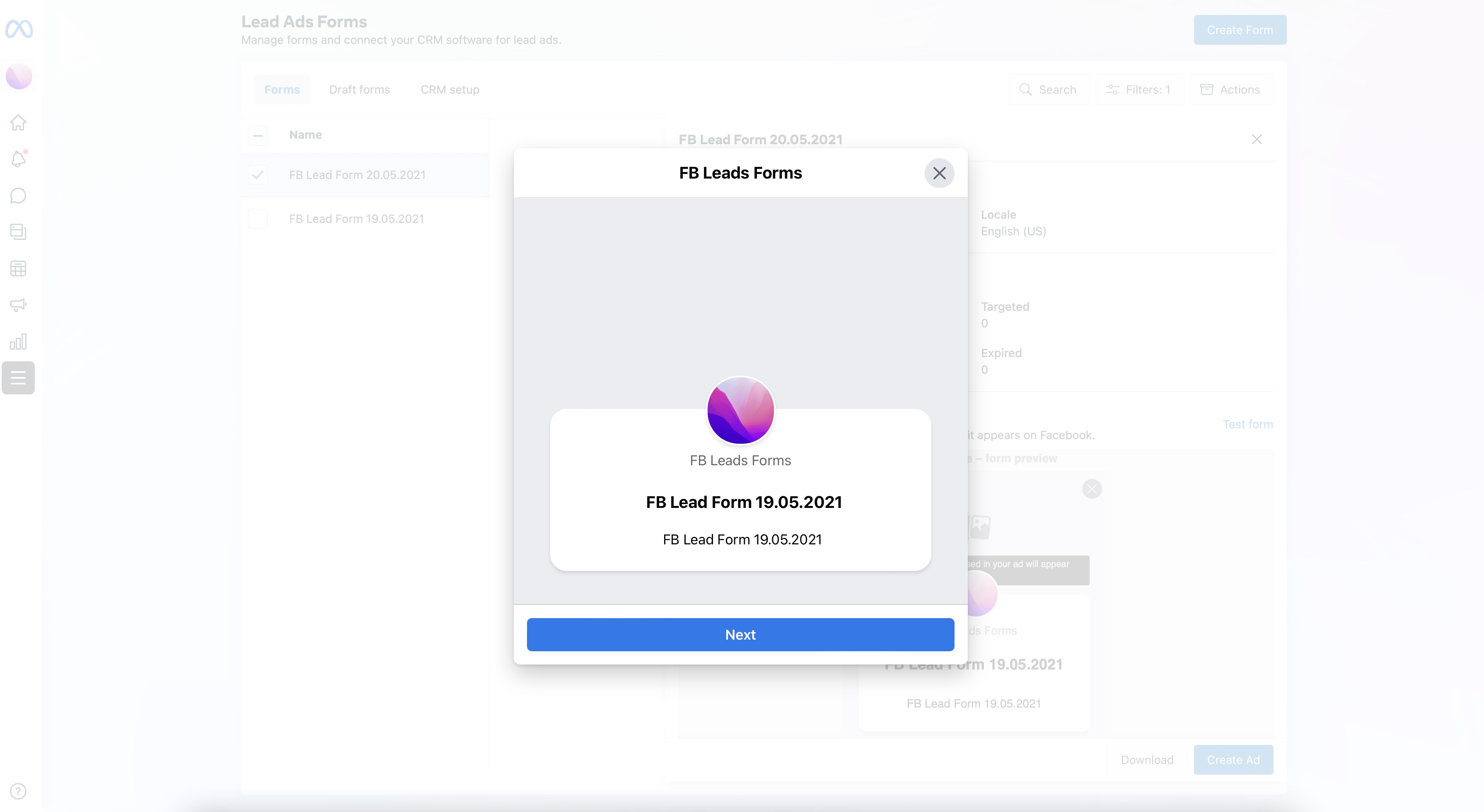
Click Next and fill out the form with data.
We recommend that you fill in the data in the same form in which they come in real leads.
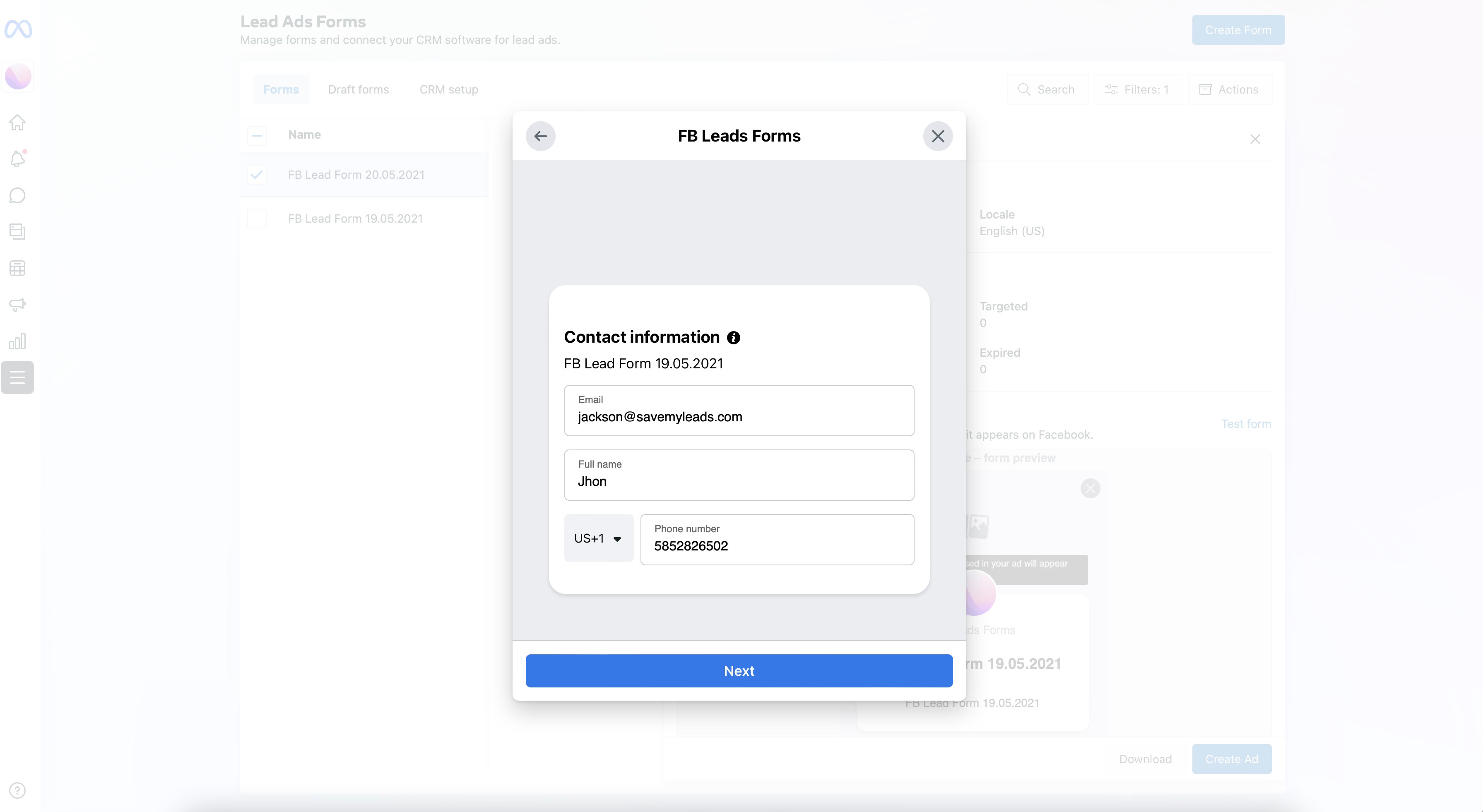
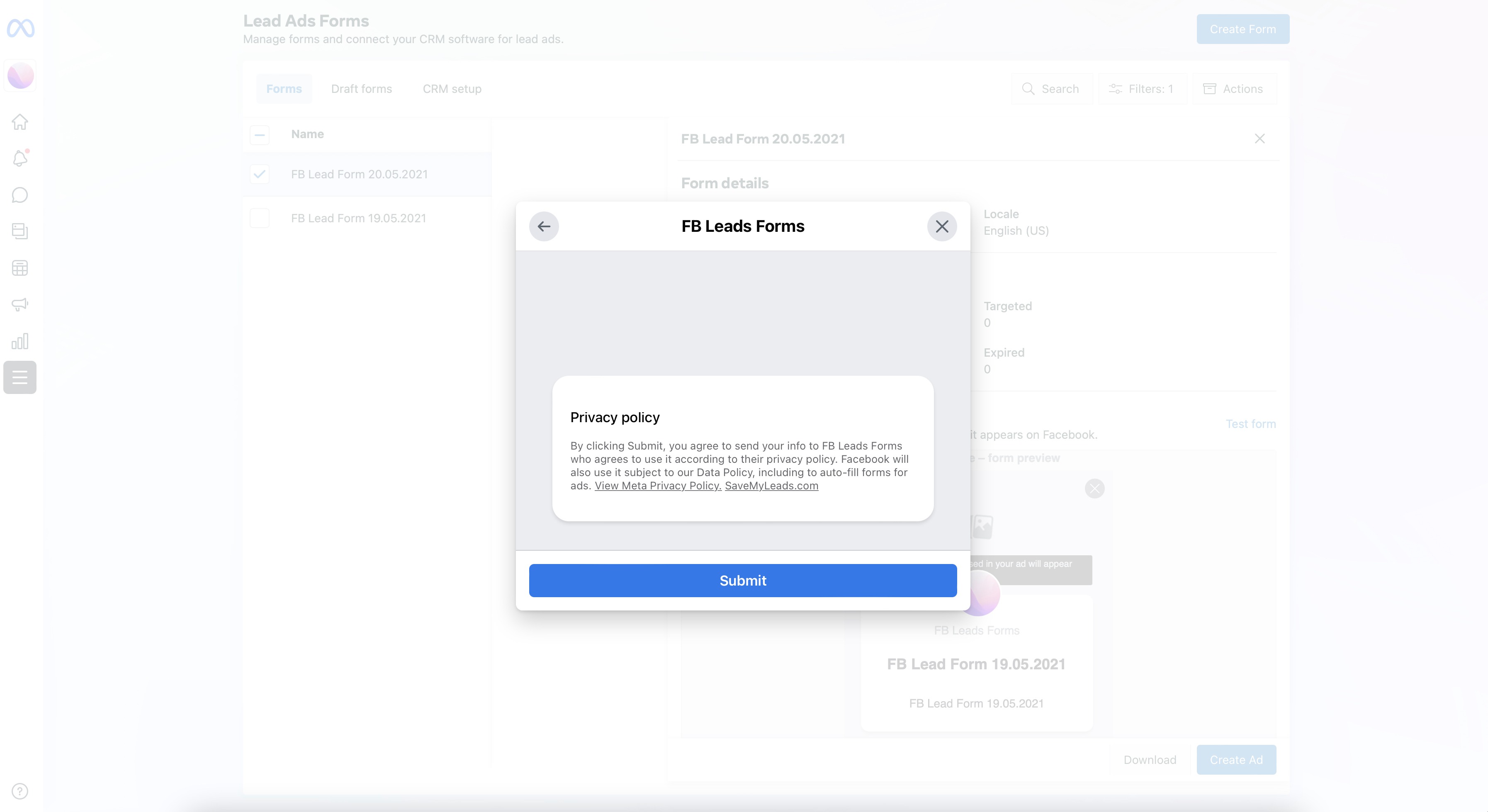
Click Next and Submit.
After that, return to ApiX-Drive to the Data Source item to the Test stage and click Load test data from Facebook, you should see your Lead's data.